
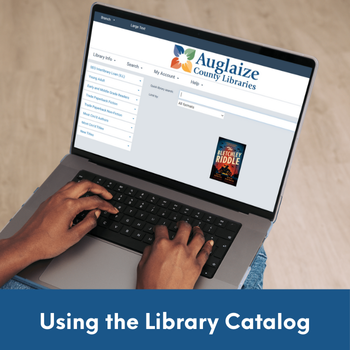
How to Find & Use Our Library Catalog
Watch a quick video about how to use our catalog and request items.
Library Catalog
Below you will find the steps to locate our library catalog and also how to request items that you wish to borrow.
STEP 1: Visit the Library Website
STEP 2: Click Borrow

STEP 3: Search for Items You Wish to Borrow
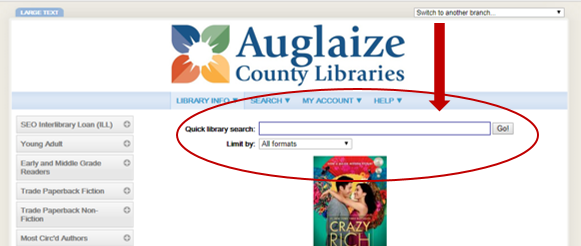
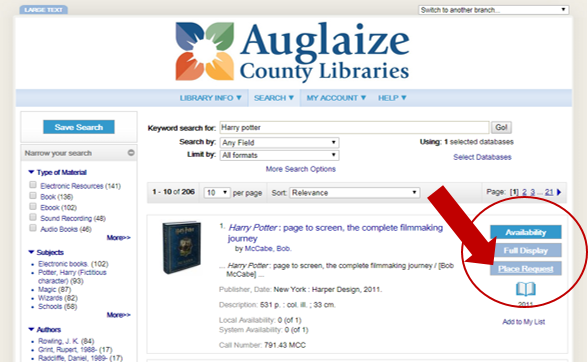
STEP 4: Click Place Request
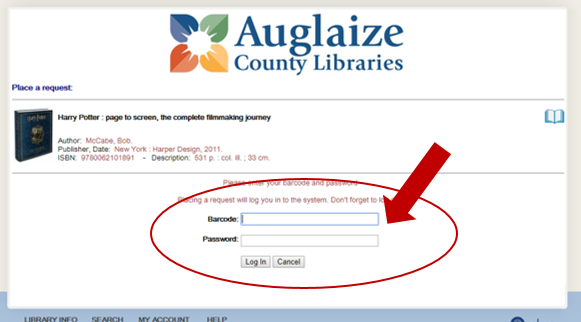
STEP 5: Enter Library Card Number (no spaces) and PIN. If you do not know your PIN, call the library (419-738-2921).
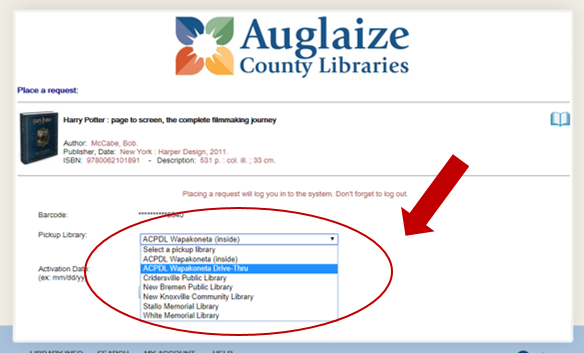
STEP 6: Choose Your Preferred Pickup Location
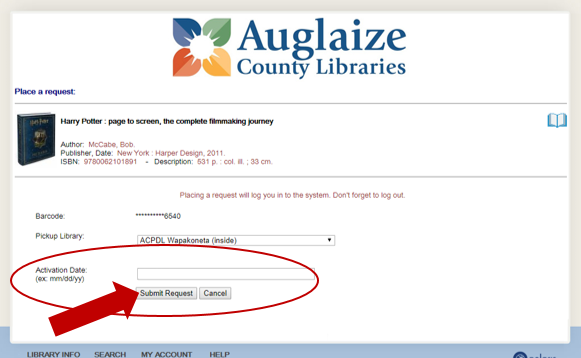
STEP 7: Click Submit Request
CONGRATULATIONS! Your item(s) have been requested! Once your item(s) is ready and available for you to pick up, you will be notified by the library through your preferred contact method (email, text, phone). If you would like to change your contact method, please call the library (419-738-2921).